

How to Keep Your Panalobet Account Safe: A No-BS Guide for Pinoy Gamers
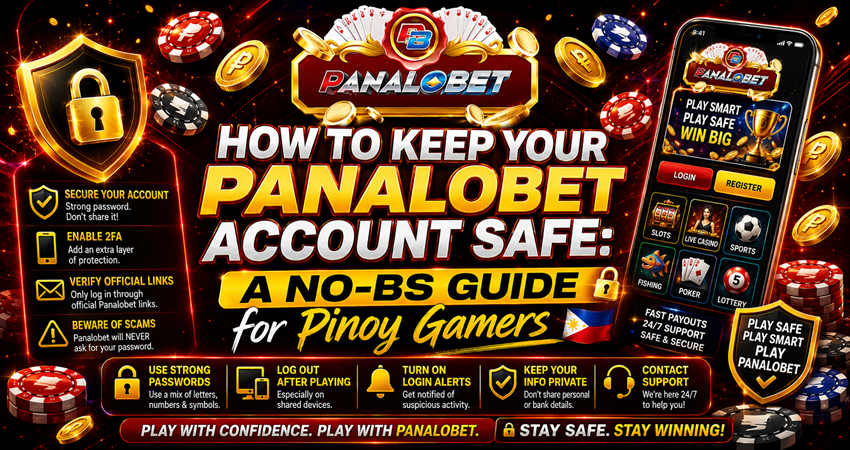
Online gaming is massive in the Philippines right now. Whether you’re trying your luck on slots, sitting at a live casino table, or backing your favorite sports team, platforms like Panalobet make it way too easy to play straight from your phone.
But let’s be totally honest for a second. Wherever money moves online, sketchy characters follow close behind.
Securing your login info isn’t just about protecting a random profile page; it’s about making sure your hard-earned cash stays exactly where it belongs—in your wallet. If you want to keep your focus on the game and skip the anxiety of getting hacked, here is a practical, zero-fluff guide to locking down your account.
1. Spot Fake Clone Sites Before You Type a Thing
Phishing is still the oldest and easiest trick in the book for local scammers. They build copycat websites that look identical to the real Panalobet login screen, hoping you’ll blindly type in your username and password. The exact second you hit enter, they’ve got you.
- Check the URL letter by letter: Don’t just trust the familiar branding, logos, or colors. Look up at the address bar. Scammers love using tricky typos—like swapping the letter “o” for a zero (0), or adding extra letters (like “panalobett”) at the tail end of the link.
- Look for the padlock icon: A real, secure site will always start with https:// (the ‘s’ stands for secure) and show a tiny padlock symbol next to the web address. If your browser flags a warning or the lock is missing, close the tab immediately.
- Bookmark the real link: Once you are 100% sure you are on the actual, official homepage, bookmark it on your phone or desktop browser. Next time you want to play, use that bookmark instead of clicking random links on Facebook or sponsored Google search results.
2. Break the Bad Habit of Reusing Passwords
We all do it. Using one universal password for Facebook, TikTok, online shopping, and gaming because it’s easy to remember. But here’s the problem: if a completely unrelated, low-security website you used years ago gets hacked, cybercriminals will immediately try those exact leaked passwords on popular gaming platforms.
- Skip the obvious personal info: Never use your birthday, your real name, your pet’s name, or classic, predictable Pinoy combinations like pogi123, gwapo2026, or lodiswagger.
- Make it an absolute mess: Create a password that looks like complete gibberish to anyone else. Toss together capital letters, lowercase text, numbers, and symbols (like @, !, #, *).
- Do a seasonal reset: Take two minutes to change your password every few months. It keeps anyone trying to guess your details completely off-balance.
3. Treat Your OTPs Like Straight Cash
Think of your password as your front door key, and Multi-Factor Authentication (MFA) or One-Time PINs (OTPs) as a heavy-duty deadbolt. Even if a hacker somehow manages to guess or buy your password, they still can’t get past the final security gate without that temporary code sent directly to your phone.
Make sure you bind your personal PH phone number to your account settings for login verification. Most importantly: never share your OTP with anyone. No legitimate Panalobet customer support representative, manager, or Facebook group admin will ever ask you for a verification code over Viber, Telegram, or Messenger chat. If they ask, they are actively trying to rob you.
4. Switch to Mobile Data, Ditch Public Wi-Fi
It is incredibly tempting to log in and check your bets while you’re stuck in traffic on the MRT, killing time at the mall, or hanging out at a local coffee shop. However, free, open public Wi-Fi networks are notoriously insecure. Tech-savvy bad actors can easily monitor open networks and log whatever data you type through the airwaves.
- Stick to your data plan: Turn off your Wi-Fi toggle when you’re out in public and switch over to your own 4G or 5G mobile data. It is much more secure and vastly harder for a third party to spy on.
- Fire up a VPN: If public Wi-Fi is your absolute only option for internet access, run a trusted Virtual Private Network (VPN) app first to scramble and encrypt your connection before you log in.
5. Ignore “Agents” Lurking on Social Media
The Pinoy gaming scene relies heavily on community Facebook groups, Telegram channels, and Viber chats for trading tips and discussing promos. Unsurprisingly, these digital spaces are crawling with fake profiles pretending to be official platform staff or account managers.
- Keep your account keys to yourself: Never allow an online agent to log into your dashboard under the promise that they can “speed up a delayed withdrawal,” “fix a technical glitch,” or “manually load your credits.”
- Verify promos on the actual site: If a social media post claims you can score massive free bonuses by clicking a specific link, ignore it. Open your trusted browser bookmark, head straight to the official Panalobet promotions tab, and look for it there. If it isn’t listed on the main site, it’s a trap.
6. Watch Out for Shared Screen Habits
Your account security is only as strong as the physical device you are using. If your phone or laptop has picked up malware or a hidden keylogger from a sketchy download, your login details can be recorded and stolen silently.
- Don’t ignore system updates: Keep your phone’s operating system (Android or iOS) and mobile browsers updated to the newest versions to ensure you have the latest security patches.
- Manually log out of public terminals: If you ever find yourself logging in from a friend’s phone or a computer at an internet café, never check the “Remember Me” or “Save Password” boxes. Crucially, always click “Log Out” manually and clear the browser history before walking away from the screen.
Your Quick Security Checklist
Rule | What to Do | Why It Matters |
Check the URL | Read the address bar closely before typing your password. | Completely avoids copycat phishing portals. |
Mix Up Your Passwords | Create a totally unique password just for your gaming account. | Limits the damage if your other apps get leaked. |
Guard Your OTP | Keep every single verification pin 100% private. | Stops intruders at the final security gate. |
Use Mobile Data | Avoid logging in while hooked to public Wi-Fi networks. | Shuts down local network snooping and spying. |
Manual Logouts | Never leave active sessions running on shared screens. | Keeps your wallet safe from the next person inline. |
The Bottom Line
At the end of the day, online gaming is supposed to be a fun escape and a way to test your luck—not a source of massive stress because your wallet got compromised. By taking just a few minutes to clean up your digital habits, tighten your passwords, and keep your verification codes completely to yourself, you can play with total peace of mind. Stay sharp, watch your links, and enjoy the games safely!
Table of Contents
Share this post on.


Hi, I’m Panalobet Admin, a Fulltime Online Gambling Copywriter based in the Philippines. With over four years in the industry, I bring a wealth of experience to the table. At 36, I continue to thrive in this vibrant sector.